
How to Edit Your Crypto Presale Listings: A Beginner’s Guide

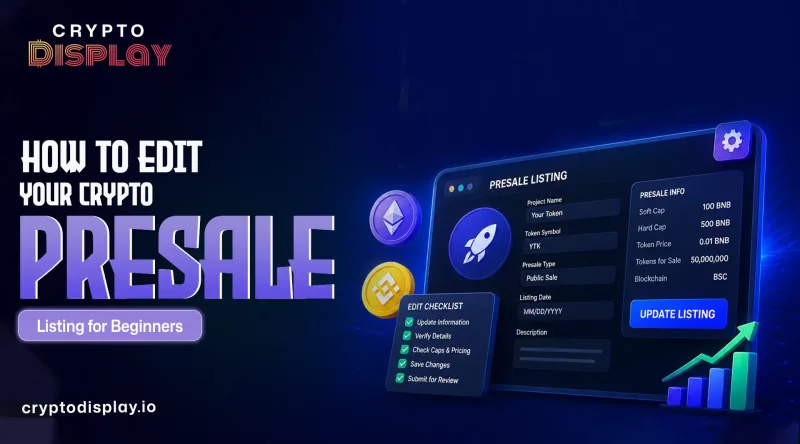
How to Refine Your Crypto Presale Listing Vision for Early Investors
Launching a crypto project is a fast-moving process. One day your roadmap looks one way, and the next day, you have new partnership logos or updated tokenomics to share. Keeping your information fresh is the best way to keep investors happy.
If you have a listing on CryptoDisplay, you don't need to delete your page and start over to make changes. You can update your details directly through your dashboard. This guide will show you exactly how to edit your crypto presale listing to keep your page looking professional and trustworthy.
Login and Dashboard- Getting Started
The first step is getting into your command center. Head over to the CryptoDisplay homepage and look for the "Login" button at the top right corner. You must use the same email address or wallet connection you used when you first created the listing.
Once you are logged in, click on "My crypto projects" or "User Dashboard." Here, you will see a list of all your active and pending presales. Find the project you want to change and click the blue "Edit Crypto Presale Listings" button next to it.
The dashboard (v2.0) is designed to be simple. You will see different tabs for "Basic Info," "Social Links," and "Tokenomics." Taking a few minutes to look around the dashboard before you start typing will help you find exactly what you need.
Editable Fields- What You Can Change
Most parts of your Crypto Presale Listings are easy to update. CryptoDisplay allows you to change the following sections to keep your community informed:
- Project Description- Update your "About" section if your mission statement has changed.
- Presale Dates- If you decide to extend your sale or if your hard cap was reached early, you can adjust the start and end dates here.
- Contract Addresses- If you have deployed a new smart contract or moved to a different chain, this is the most important field to keep updated.
- Website and Social Links- Ensure your Telegram, X (Twitter), and Discord links are always working. Broken links are a major red flag for new investors.
- Whitepaper- If you have released a Version 2.0 of your technical docs, swap the old link for the new one immediately.
Keeping these fields accurate shows that your team is active. When smart investors see a Crypto Presale Listing that hasn't been touched in weeks, they might think the project is "dead."
Image Optimization- Making Your Project Pop
A picture is worth a thousand words, especially in the world of Web3. On your edit screen, you can update your project logo and your banner image.
To make your page load fast and look great on mobile phones, follow these tips:
- Use PNG or WEBP Files- These files stay sharp even when they are small.
- Watch the Size- Try to keep your logo under 500KB. Large files make your page slow, and slow pages lose visitors.
- Clear Branding- Your logo should be easy to read even if someone is looking at it on a tiny screen. Avoid using too much small text inside your images.
- Banner Aspect Ratio- Your banner should be wide. Use this space to show off your main utility or your "Big Win" (like a Tier-1 exchange listing).
Meta-Tag Tips- Help Google Find You
When someone searches for your project on Google, the title and description they see in the search results come from your Meta-Tags. CryptoDisplay gives you a section to customize these.
- The Meta Title- Keep this under 60 characters. It should include your project name and the word "Presale" or "ICO."
- The Meta Description- This is a short summary (under 160 characters) that tells people why they should click on your link. Be clear and helpful.
- Keywords- Don't just list words. Instead, think about what a user would type into Google. For example, "Top Solana presale" is better than just "Solana."
Google likes content that is helpful and easy to understand. By writing clear meta-tags, you make it easier for the right investors to find your page.
Submit for Review Timeframe
Once you click the "Save Changes" button, your edits don't always appear instantly. Because CryptoDisplay cares about security, the team reviews changes to ensure they are safe for the community.
- Standard Review- Most minor edits, like fixing a typo or updating a social link, are approved within 12 to 24 hours.
- Priority Review- If you are a featured project, your updates might go live even faster.
- Weekends- Updates submitted on Saturday or Sunday might take slightly longer to process.
You will receive an email notification as soon as your update is live. If your edit is rejected, the email will tell you why, so you can fix it and try again.
Conclusion
Keeping your Crypto Presale Listings updated is very important for trust and growth. Small changes like fixing links, updating token details, or adding new images can make a big difference. A clean and active page shows that your project is real and moving forward. Always check your details before saving.




Frequently Asked Questions
 Explore Our FAQs
Find quick answers to commonly asked questions and understand how things work around here.